What you get
- Real fees, not estimates. Uses the exact fees Etsy charged, from your statement, not a 6.5% guess. Totals tie to your statement to the cent.
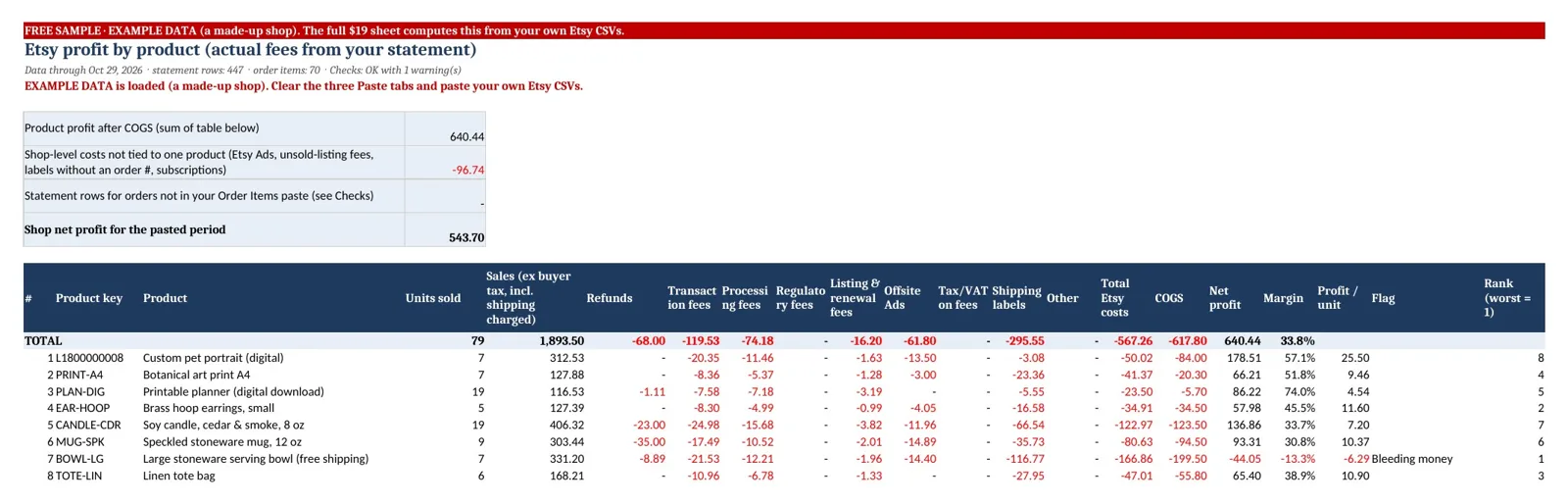
- Per product. Transaction, processing, listing/renewal, Offsite Ads, regulatory fees, tax on fees, labels, refunds, COGS, net, margin, profit per unit.
- Catches the money-losers. Products that cost more than they bring in are flagged "Bleeding money".
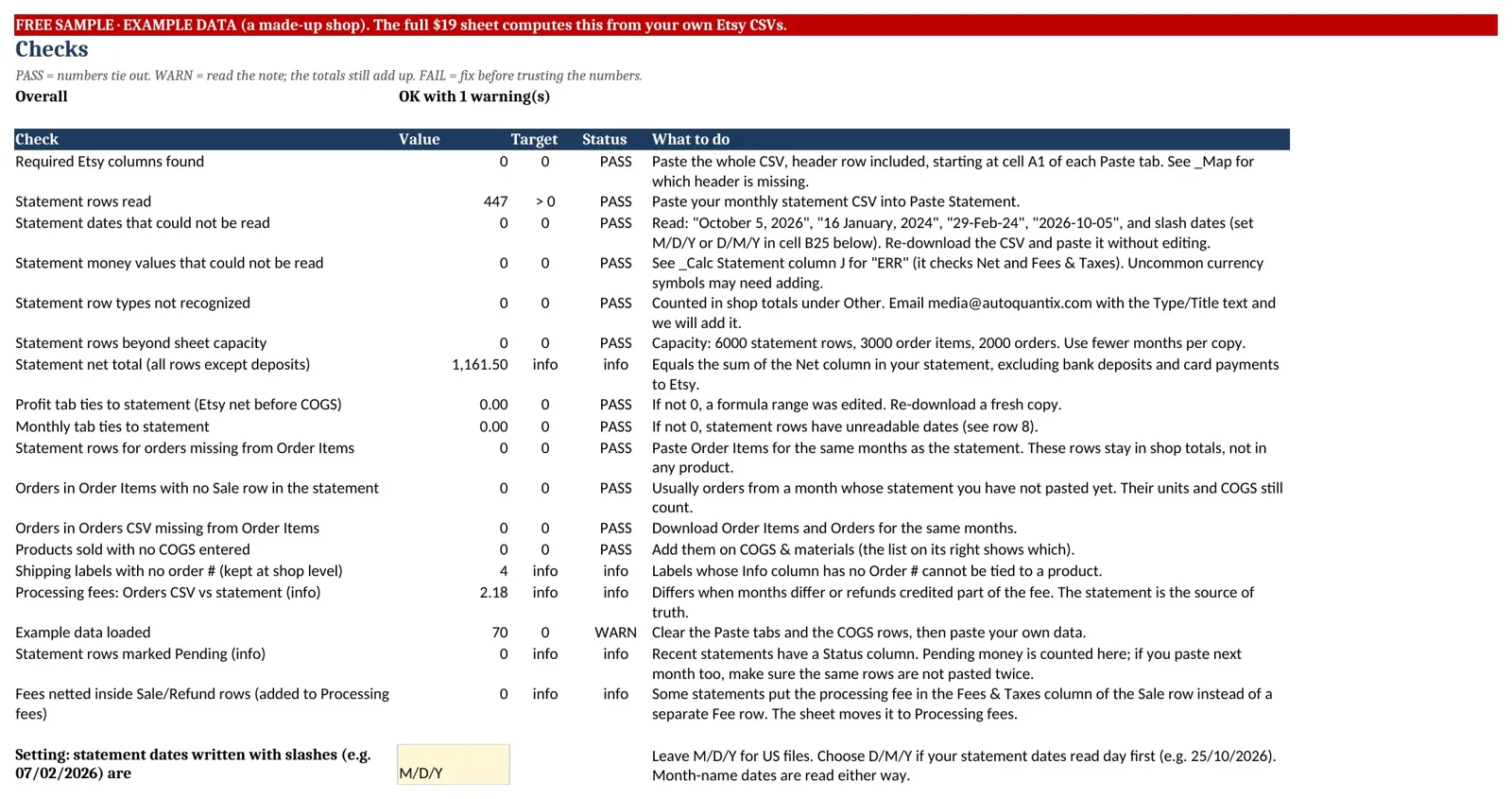
- It ties out. A Checks tab proves the totals match your statement, and anything it couldn't match is shown, not hidden.
- Works where you already work. Google Sheets or Excel. Formulas only, no macros, add-ons or logins. Your data stays in your file.
How it works
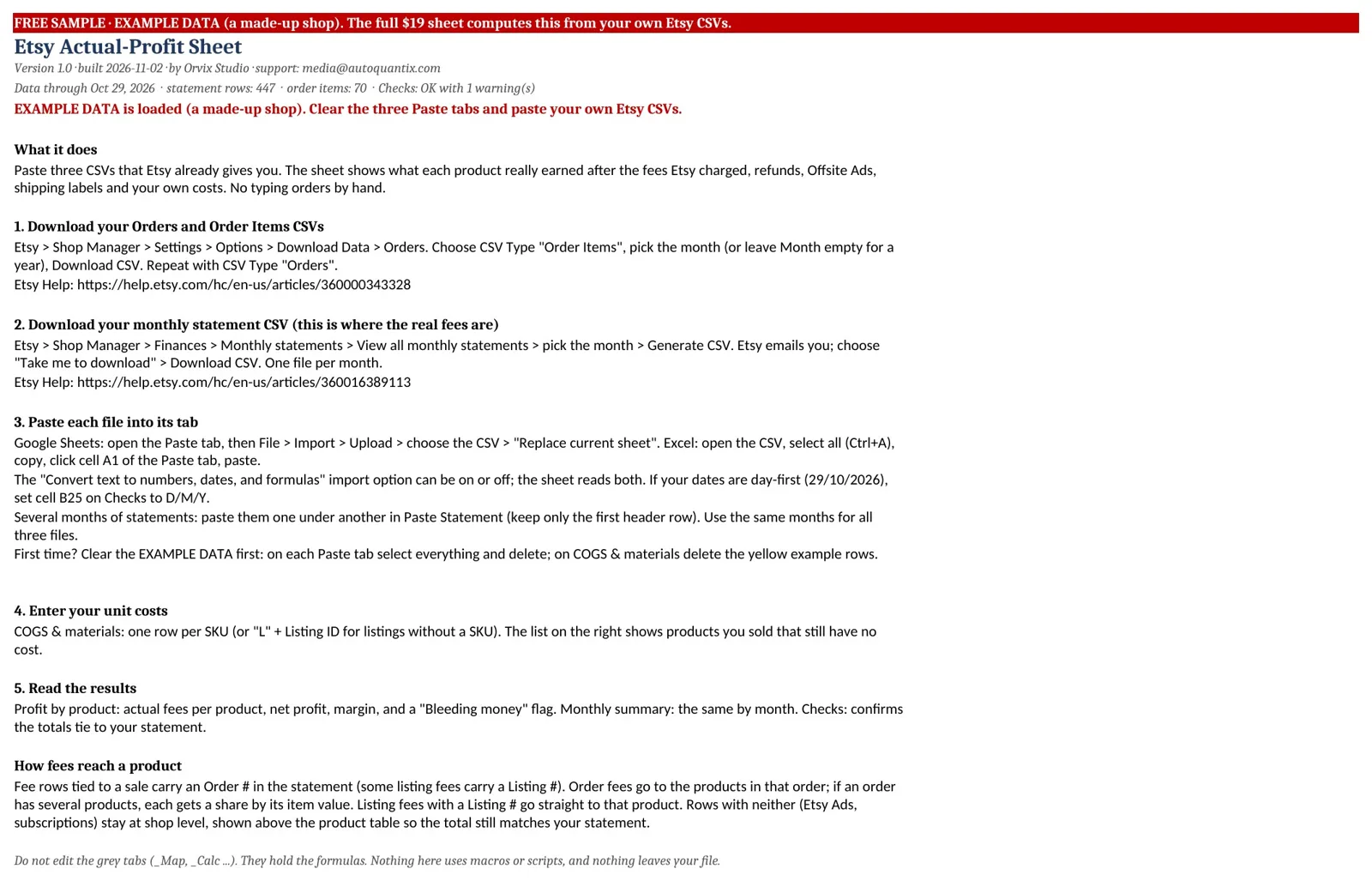
- In Etsy, download Orders, Order Items (Shop Manager > Settings > Options > Download Data) and your monthly statement CSV (Finances > Monthly statements).
- Paste each into its tab.
- Enter what each product costs you to make, once.
See it with example data
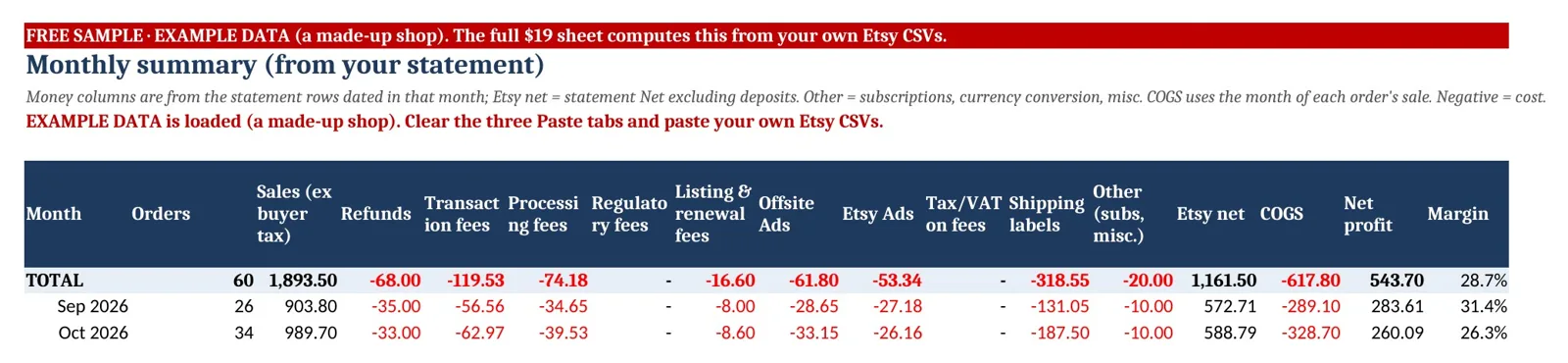
All screenshots use EXAMPLE DATA from a made-up shop.
Why we built it
One seller on r/EtsySellers put it simply: "I forget to update them." (thread). Hand-typed profit templates go stale. Etsy already records the fees it charged in your monthly statement, so this sheet reads Etsy's file instead.
Honest limits
- Etsy Ads are billed for the whole shop, so they're shown at shop level, not per product.
- In orders with several products, order-level fees are split by item value. Single-item orders are exact.
- Costs from outside Etsy (supplies, off-Etsy labels) aren't in Etsy's files.
- One currency per copy. Not tax advice.
- Etsy is a trademark of Etsy, Inc. This product is not affiliated with, endorsed by, or certified by Etsy, Inc.
Questions
How do I calculate profit on Etsy after fees?
Start with what buyers paid you, excluding sales tax. Subtract the fees Etsy charged (transaction, processing, listing, Offsite Ads, regulatory and any tax on fees), then refunds, shipping labels and your cost to make each item. This sheet does that for you per product: it reads the fee amounts from your Etsy monthly statement CSV, matches them to your orders, and subtracts the unit costs you enter.
Does it include Offsite Ads fees?
Yes. Each Offsite Ads fee, and any Offsite Ads credit, is read from your statement and assigned to the products in that order. Fees on orders with several products are split by item value.
Does it work with Google Sheets?
Yes. In Google Sheets, use File > Import > "Replace current sheet" on each Paste tab. It also works in Excel, and it uses no macros or scripts.
Will it work with my older Etsy files?
We tested it on files matching every Etsy CSV layout we found in public sources, from 2017 Order Items files to 2026 statements.
Which Etsy files do I need?
You need the Orders CSV, the Order Items CSV and the monthly statement CSV. All three are free to download from Etsy Shop Manager.
Does it estimate fees?
No. It uses the amounts Etsy charged, from your statement. Only fees on orders with several products are split by item value, and Etsy Ads are shown for the whole shop.
Can I see it before buying?
Yes. You can download a free sample that shows the results tabs filled with example data, as values only.
How many orders can it handle?
Each copy handles up to 6,000 statement rows, 3,000 order items and 2,000 orders.
Can I get a refund?
Yes, if it doesn't work with your Etsy export files: email media@autoquantix.com within 14 days of your purchase and tell us which file didn't work, if you can; if we can't fix it within 3 business days we'll refund the full $19 (because it's a digital download, we don't offer refunds for a change of mind). If you're in the EU or UK, you can also ask for a full refund within 14 days of purchase, for any reason.
How do I get support?
Email media@autoquantix.com for help.
Etsy Profit Spreadsheet
$19 one-time · instant download after payment · works-or-refund guarantee